
No one can honestly promise a migration with zero impact, but you can design one where nothing you control leaks revenue. When merchants change ecommerce platforms, sales usually slip through a few predictable gaps: broken links, a checkout that was never tested, stock counts that drift apart, or a badly timed launch. This guide shows where those leaks happen during an ecommerce platform migration and how to seal each one so your store keeps selling while you move.
Where Sales Leak During an Ecommerce Platform Migration
Revenue loss rarely comes from the move itself. It comes from four leaks:
- Traffic leaks: old links, ads, and emails that now lead to errors
- Checkout leaks: payment, tax, shipping, or discount settings that behave differently on the new store
- Data leaks: orders or stock changes that happen on the old store while data is being copied
- Timing leaks: a launch that lands in your busiest week, or when nobody is free to fix problems
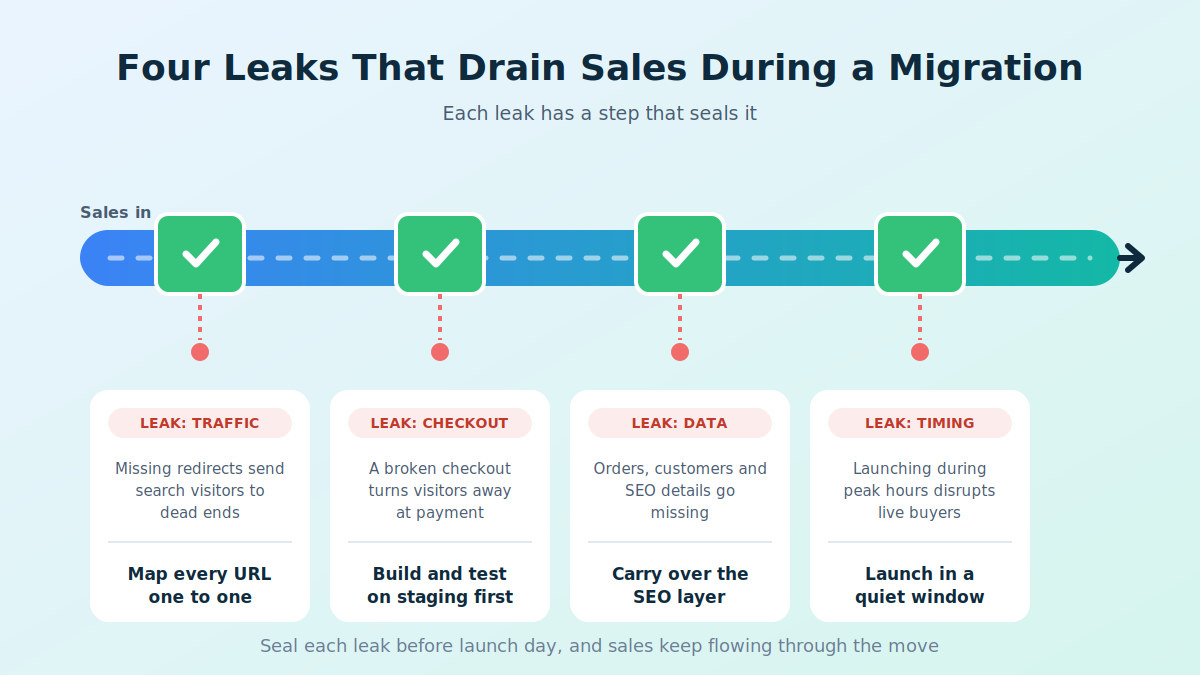
The six steps below close them one at a time.
Step 1: Pick the Window Using Your Own Sales Data
Open last year’s sales by week and by day. Choose a quiet stretch with no major promotions and a few working days afterward when your team can respond. Midweek launches beat Friday afternoons, because problems found on a weekend wait longer for a fix.
Step 2: Keep the Old Store Selling Until the Last Moment
Run both stores in parallel. Copy products, customers, and orders to the new platform while the old store keeps taking orders, then use a final sync to catch anything that arrived during the copy. A zero downtime migration depends on this overlap. Without it, you are choosing between a frozen store and missing data.
Protect your inventory counts
Parallel running is where stock numbers can drift. If both stores sell the same items, counts diverge and you risk overselling. Pick a cutover moment, run a final stock sync right before the switch, avoid bulk stock edits during the window, and confirm counts on the new store afterward.
Step 3: Test the Checkout Like a Customer
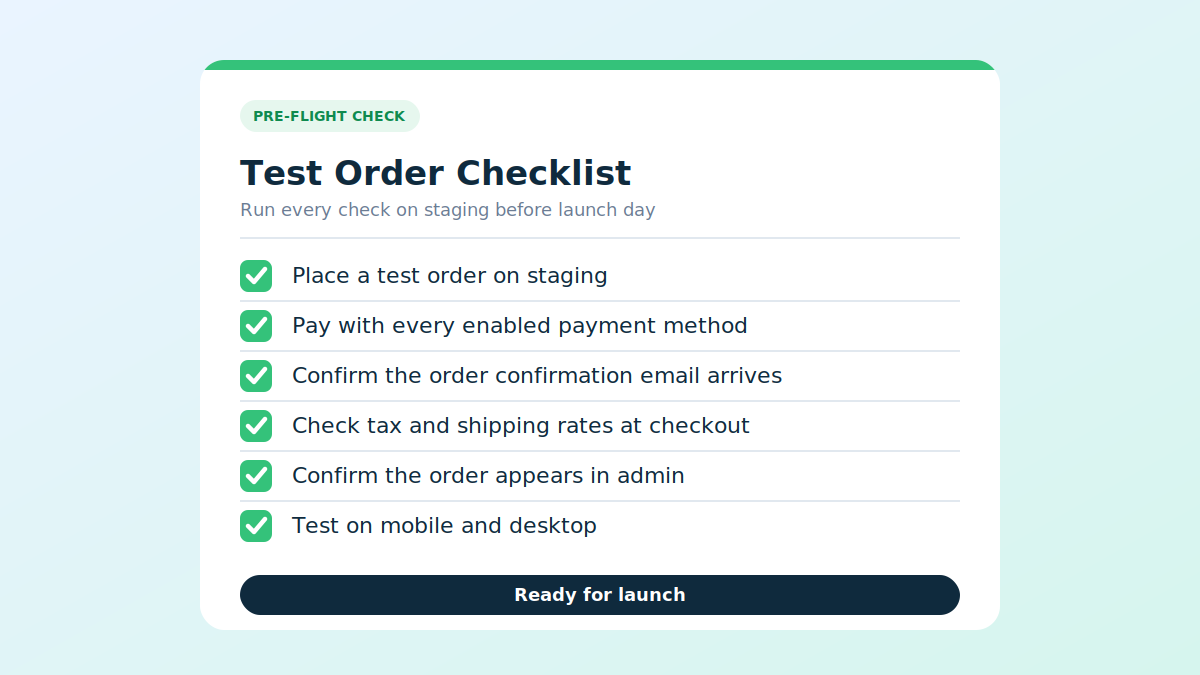
Place real test orders before launch. Cover each of these:
- Every payment method you offer
- Discount codes and gift cards
- Shipping rates for local and international addresses
- Tax calculation
- Order confirmation and shipping emails
- The full flow on a phone, because mobile shoppers abandon slow pages (this site’s article on mobile-friendly catalog software shows why)
Step 4: Keep Every Traffic Source Pointing Somewhere Valid
Customers arrive through search, ads, email, and social posts. Each source needs a working destination on launch day:
- Redirects: point each old URL at its matching new page with a one-to-one 301 redirect
- Ads and feeds: update ad destination URLs and product feeds (Shopify’s Google and YouTube channel can sync your feed)
- Email and social: check links in templates, bios, and marketplace listings
- Tracking: keep UTM tags intact so reporting stays continuous
Step 5: Prepare Customers for the Few Visible Changes
A few things will look different, so a short heads-up helps. The design will change. Shopify’s current customer accounts use a one-time code sent by email rather than a password, and card details saved with your payment provider may need re-entering. Email customers a few days ahead, and carry order history across so returning shoppers find their accounts intact.
Step 6: Plan Your Way Back
Agree on go or no-go criteria before launch day: test orders succeed, redirects resolve, and stock matches. Decide who makes the call and keep the old store reachable. A rehearsal and a rollback option lower the stakes of every earlier step.
Why Most Migration Tools Leave Sales at Risk
Most migration tools stop at product data. Customers, order history, redirects, and a rehearsal are left to you, and that is where sales slip. Instead, choose migration tools that:
- Run a preview before anything goes live
- Carry over customer records, past orders, and written content, not just products
- Generate redirects automatically
- Run a final sync for orders placed mid-migration
- Offer a rollback window after launch
One option for Shopify is ShiftItNow, which pairs a preview run with a 7-day rollback window and moves the full store, not just the catalog.
Watch the First Two Weeks Closely
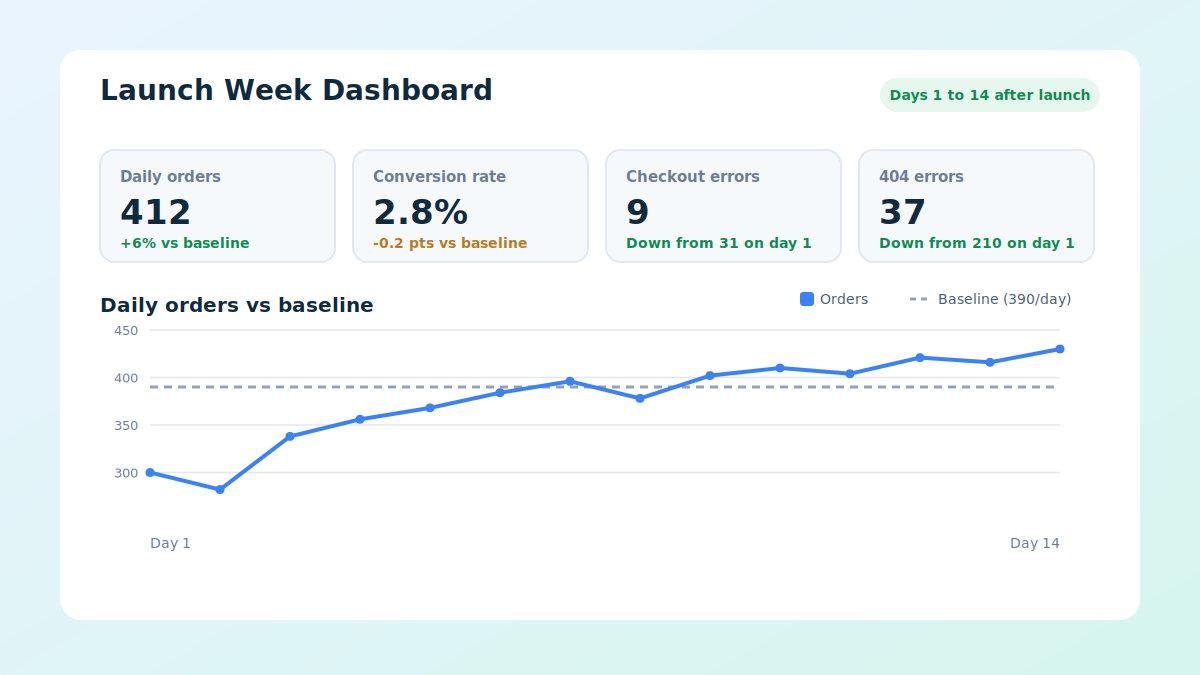
Check these daily after launch:
- Orders per day against your baseline
- Conversion rate and checkout errors
- New 404 errors in Search Console
- Abandoned carts and support tickets
A small dip in the first days is common while search engines recrawl. A dip that keeps deepening points to a fixable fault, so investigate it quickly.
FAQ: Changing Ecommerce Platforms
Can I change ecommerce platforms with zero downtime? Yes, in practice. Your old store keeps selling while data is copied, and customers only see a short switch at launch.
When is the best time to migrate? A low-volume stretch away from peak season and big promotions, with a few working days afterward for fixes.
Will I lose my Google rankings? Not when each old URL redirects to its closest new page and your SEO data is carried across.
Do most migration tools cover all of this? No. Most migration tools stop at products, so check whether yours also handles customers, orders, redirects, and rollback.
Final Thought
You cannot promise yourself a perfect migration, but you can remove the avoidable risks. To recap:
- Time the launch with your own sales data
- Keep the old store live and sync stock before switching
- Test checkout and mobile like a customer
- Keep every traffic source pointing somewhere valid
- Tell customers what will look different
- Know your way back, then watch the first two weeks
If you are not sure a full platform change is the right fix yet, this site’s piece on when VPS hosting becomes the smart middle ground covers a lighter option for stores that have mainly outgrown their hosting.